
Why photo book publishing is making a strong comeback
Anúncios
Yet amid constant digital noise, photo book publishing is making a strong comeback as photographers, families, and creative professionals seek permanent, screen-free ways to preserve and share visual stories.
Thousands of photos sit buried in camera rolls, cloud backups, and forgotten hard drives, rarely seen after the moment they are captured.
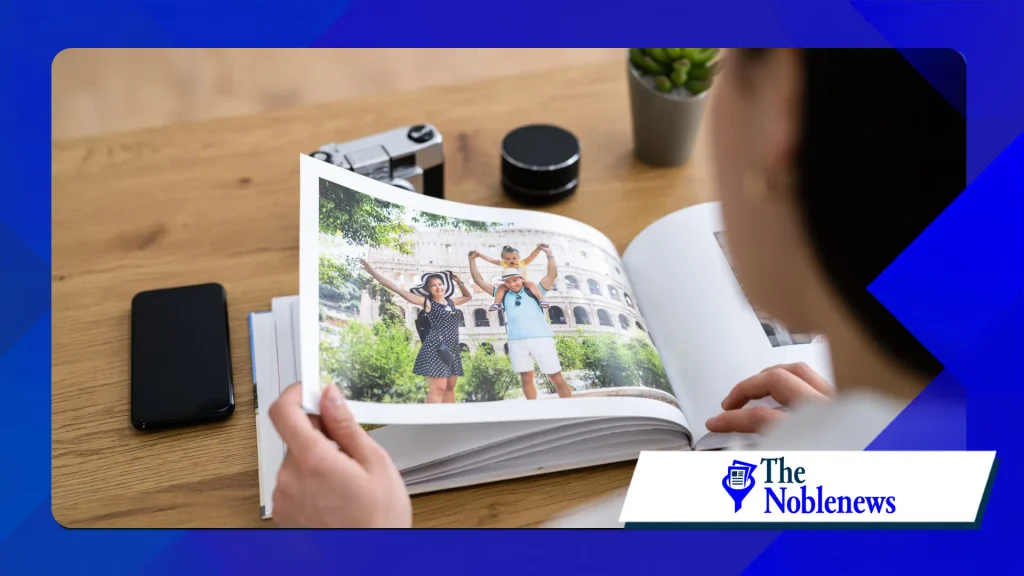
Rather than replacing digital photography, printed photobooks are redefining how people value, curate, and experience images in an era of endless scrolling.
Key Takeaways
- Digital fatigue drives demand for physical media: Many people feel overwhelmed by cluttered camera rolls and fleeting social media feeds, leading them to prefer tangible books they can hold and revisit.
- Print-on-demand technology lowers barriers: Modern digital printing and user-friendly design tools allow individuals and independent photographers to produce single copies or small runs without traditional publishing costs.
- Curation creates stronger emotional value: Selecting and sequencing 40 to 100 images turns scattered snapshots into a cohesive story that outlasts changing file formats and cloud subscriptions.
- Photobooks serve both personal and artistic markets: From annual family yearbooks to collectible independent monographs, printed photography books bridge everyday memory-keeping and fine art publishing.
What Is Driving the Revival of Printed Photo Books?
The renewed enthusiasm for printed photography is not simply nostalgia for older film albums. Instead, it reflects a practical response to how modern audiences capture, store, and consume images every day.
Digital Overload and Camera Roll Fatigue
Smartphones make taking photos effortless, which often leads to tens of thousands of unorganized images per person.
When every meal, errand, and vacation generates dozens of near-identical files, individual memories lose their significance.
A printed photo book solves this problem by forcing intentional selection.
Choosing which photographs earn a place on paper slows down the viewing experience and gives meaningful moments room to breathe.
The Desire for Tangible, Screen-Free Experiences
Screens dominate work, entertainment, and communication, creating growing interest in physical objects that require no battery, password, or internet connection.
Sitting on a couch with a hardcover photo book encourages shared conversation in a way that passing a smartphone around a room rarely achieves.
++ Iconic Cameras That Shaped the History of Visual Storytelling
Tactile details—such as matte paper grain, fabric covers, and lay-flat bindings—add sensory depth that backlit displays cannot replicate. For many readers and creators, physical presence makes photography feel real again.

Long-Term Preservation Beyond Cloud Storage
Digital files feel permanent, yet hardware failures, lost passwords, discontinued apps, and shifting file standards regularly put personal archives at risk.
Even the Library of Congress highlights the ongoing challenges of digital preservation, noting that digital formats require active management to remain accessible over time.
Printed books offer straightforward durability without ongoing subscription fees. When stored away from direct sunlight and moisture, a well-made photo book can remain readable for generations.
How Has Print-on-Demand Changed Photo Book Publishing?
Historically, publishing a photography book required offset printing presses, large minimum orders, upfront capital, and warehouse storage.
Read more: The rise of nature photography tourism around the world
That model restricted photo book publishing mostly to established publishers, museums, and well-funded commercial photographers.
Accessible Short-Run and Single-Copy Printing
Advances in digital inkjet and electrophotographic printing have transformed production economics.
Creators can now print a single custom book for a family milestone or produce a limited run of 100 copies for an exhibition or independent release.
Modern digital presses deliver sharp detail, accurate skin tones, and rich black-and-white contrast that rival traditional offset lithography for short runs. This flexibility removes financial risk and encourages experimentation.
Smarter Design Software and Templates
Designing a balanced book layout once required advanced knowledge of desktop publishing software and color management.
Today, browser-based editors, desktop applications, and automated layout tools help users organize photos chronologically, apply clean typography, and check image resolution before printing.
At the same time, experienced photographers still have full control over margins, paper weights, and sequencing when they want bespoke editorial design. Both beginners and professionals can work at their own skill level.
Why Independent Photographers Are Embracing Photobooks
Beyond family keepsakes, the independent photography community has fueled a creative renaissance in small-press and self-published photobooks.
++ How movie preservation societies protect classic film history
Art book fairs, independent bookstores, and online communities have turned the photobook into a primary medium for visual storytelling.

Complete Creative Control
In editorial assignments or social media feeds, photographers rarely control how their images are cropped, sequenced, or surrounded by advertisements.
A photo book gives the creator authority over every detail, from pacing and white space to cover typography and paper stock.
Sequencing matters deeply in visual storytelling. Placing two images across a two-page spread creates dialogue, tension, or narrative progression that a vertical feed cannot reproduce.
A Collectible Medium for Visual Storytelling
Many contemporary photographers view the book itself as the finished artwork rather than a secondary catalog of gallery prints.
Small-edition photobooks allow collectors and photography enthusiasts to own a complete body of work at an accessible price point.
As the Metropolitan Museum of Artnotes in its essays on the history of photography and illustrated books, photographers have used the book format since the nineteenth century to reach wider audiences and construct sustained visual arguments.
Today’s independent makers are continuing that tradition with modern tools.
Digital Archives vs. Printed Photo Books: A Practical Comparison
Both digital storage and printed books play useful roles in a healthy photography workflow.
Understanding how they differ helps clarify why many people use cloud backups for storage while relying on print for storytelling.
| Feature | Digital Cloud and Camera Rolls | Printed Photo Books |
| Storage Capacity | Holds tens of thousands of raw and compressed files | Curates a focused selection, typically 30 to 150 images |
| Viewing Experience | Fast scrolling on backlit screens, often distracted | Slow, immersive, tactile, and screen-free |
| Social Sharing | Instant online reach across platforms | Intimate, in-person sharing at home or in exhibitions |
| Longevity and Access | Depends on active accounts, devices, and file formats | Immediately viewable without power, software, or logins |
| Creative Sequencing | Chronological grid or algorithm-driven feed | Intentional pacing with spreads, text, and layout design |
| Cost Structure | Ongoing monthly cloud storage fees | One-time production cost per copy |
How to Plan and Publish a Photo Book That Stands the Test of Time
Whether you are creating an annual family retrospective, a travel volume, or an artistic monograph, thoughtful preparation separates an average photo dump from a memorable publication.
1. Define a Clear Theme and Scope
Start by narrowing your project to a single cohesive subject. Strong themes include one calendar year, a specific trip, a family history project, or a focused documentary series.
A clear boundary makes editing much easier. Instead of trying to include every good picture you have ever taken, choose images that support one central narrative.
2. Edit Ruthlessly Before Opening Layout Software
Great photo books rely more on editing than on fancy templates. Gather your candidate images into a dedicated folder and trim the selection down to your strongest frames.
Look for variety in framing and pacing:
- Establishing shots: Wide views that show setting, atmosphere, or environment.
- Medium moments: Interactions, movement, and everyday details that carry the story forward.
- Close-ups and portraits: Expressive faces, textures, and small details that add intimacy.
- Quiet pauses: Minimalist frames that give the reader’s eye a place to rest between dense spreads.
3. Choose Paper, Binding, and Size Intentionally
Physical materials shape how viewers interpret your photography. Match your production choices to the mood of your images:
Lay-flat binding: Ideal for panoramic landscapes and full-bleed two-page spreads where you do not want a center crease interrupting the image.
Smyth-sewn hardcover: Best for heirloom books, monographs, and thicker volumes meant to handle decades of page turning.
Matte or uncoated paper: Works well for documentary photography, portraits, and subtle tonal transitions without harsh glare.
Luster or satin paper: Enhances color saturation and crisp contrast for vibrant travel or commercial work.
4. Check Resolution and Color Profiles Early
Before sending files to print, inspect image resolution at the actual print size. Most print labs recommend 300 pixels per inch (PPI) at final dimensions to prevent softness or pixelation.
Avoid heavy screen brightness when reviewing photos on a monitor or phone. Bright displays often make dark shadows look clearer than they will appear on ink-on-paper prints.
5. Include Concise Captions or Essays Where Helpful
Photographs do not always need long explanations, but brief dates, locations, or short introductory notes add valuable context.
Years later, names of places and people become some of the most appreciated details in a family or documentary book.
Conclusion
The renewed momentum behind printed photography shows that convenience alone does not satisfy how people want to live with their images.
By combining intentional editing, durable materials, and modern print-on-demand access, photo book publishing is making a strong comeback as a meaningful alternative to disposable digital feeds.
If you want to start your own project, pick one defined folder—such as photos from the past twelve months or a recent trip—and narrow it down to your top 50 images this week.
Once your edit is ready, choose a reputable print-on-demand service or local bookmaker and bring those photographs off your screen and onto your bookshelf.
Frequently Asked Questions
Are printed photo books still popular in the digital age?
Yes. Demand for custom photo books, annual family yearbooks, and independent photography monographs remains strong because people want curated, screen-free keepsakes that do not get lost in massive digital camera rolls.
What is the best paper finish for a photo book?
Matte and uncoated papers are popular for portraits, documentary projects, and fine art books because they reduce glare and feel natural to the touch.
Satin or luster finishes work best when you want vivid colors and deeper contrast.
How many photos should go into a standard photo book?
Most personal and travel photo books work well with 50 to 120 images across 30 to 80 pages. Leaving white space and limiting spreads to one to three photos keeps the layout clean and prevents visual clutter.
What image resolution do I need for printing a photo book?
Aim for 300 PPI (pixels per inch) at the intended print dimensions.
Modern smartphone cameras and digital cameras easily meet this standard for standard book sizes, provided you use original files rather than compressed images downloaded from messaging apps or social media.
++ Why Photo Books Are Having a Major Comeback (And Why Yours Deserves to Be Printed)
++ Why Classic Photo Albums Are Making a Comeback – It’s Not Just Nostalgia.
\