
O Espaço de Trabalho Virtual: Como a Computação Espacial Está Redefinindo a Produtividade Pessoal
Anúncios
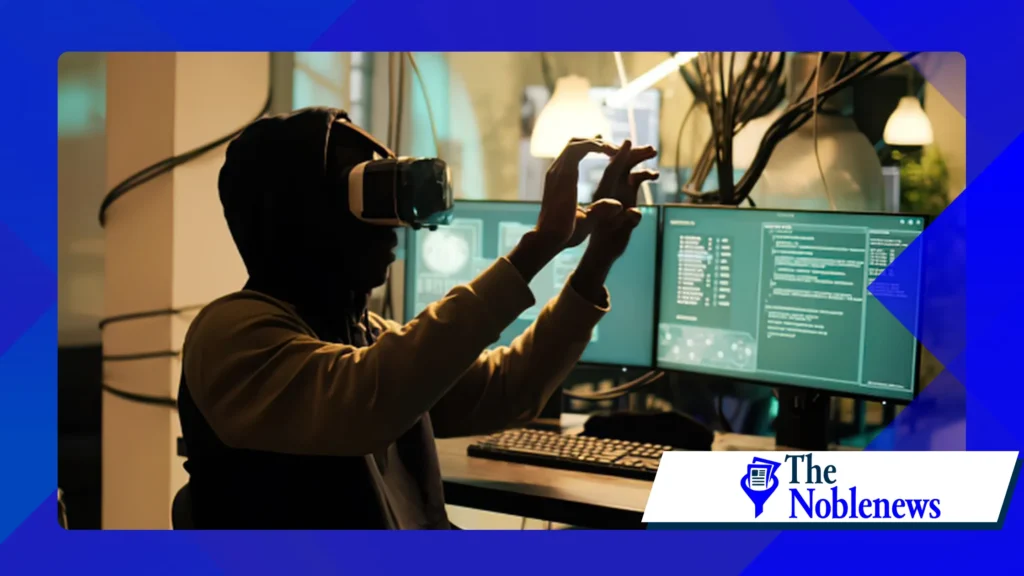
A ascensão de computação espacial Isso marca uma ruptura definitiva com a era dos retângulos estáticos. Ao ancorar os fluxos de trabalho digitais em nossa arquitetura física, estamos finalmente alinhando a tecnologia com a biologia humana.
Essa mudança não se trata apenas de mais pixels; trata-se de recuperar nosso foco cognitivo e transformar cada ambiente em um espaço de trabalho ilimitado e de alto desempenho, adaptado às nossas necessidades profissionais específicas.
Resumo
- A mudança espacial: Superando a "planície" dos monitores tradicionais.
- Realidades do hardware: Uma análise franca do panorama de dispositivos em 2026.
- O Dividendo Cognitivo: Por que a profundidade 3D supera a multitarefa 2D.
- Presença em vez de proximidade: Resolvendo o problema do isolamento no trabalho remoto.
- A configuração: Passos práticos para a transição.
O que é computação espacial e por que ela é importante agora?
Em sua essência, essa tecnologia trata seu ambiente físico como um disco rígido interativo. Até 2026, teremos superado o "efeito de tela de porta" e os problemas de latência do início da década de 2020.
Hoje, a integração de sistemas ópticos de alta resolução significa que os objetos digitais em sua mesa permanecem exatamente onde você os coloca, comportando-se com uma permanência que parece, na falta de uma palavra melhor, real.
Não se trata apenas de ter mais pixels. Representa uma mudança fundamental de "olhar para" um computador para "ocupar" um ecossistema digital.
Embora muitos previssem que seria uma ferramenta de nicho para jogos, na verdade ela democratizou o hardware industrial de ponta, permitindo que um freelancer em um apartamento estúdio acesse o mesmo poder visual com vários monitores que uma mesa de operações de uma empresa da Fortune 500.
Como a computação espacial aumenta a produtividade pessoal?
A verdadeira vitória aqui é sobre a "fadiga de abas". Em um ambiente 2D, nossos cérebros são forçados a gerenciar uma pilha de janelas invisíveis, criando uma sobrecarga mental constante cada vez que usamos Alt+Tab.
Em um espaço de trabalho 3D, basta virar a cabeça. É um uso intuitivo da memória espacial — você se lembra de que uma planilha está “à sua esquerda” da mesma forma que se lembra de onde deixou seu café.
Existe também uma satisfação tátil em manipular dados 3D com gestos naturais das mãos. Ao remover a abstração de um mouse ou trackpad, o atrito entre o pensamento e a execução começa a desaparecer.
É a diferença entre desenhar com um graveto na areia e esculpir com as mãos; a segunda opção proporciona um ciclo de feedback que parece muito mais alinhado com a biologia humana.
Quais setores se beneficiam mais com espaços de trabalho virtuais?
A arquitetura e a engenharia foram as primeiras a deixar de "visualizar" projetos e começar a "percorrê-los". Há algo inerentemente transformador em estar dentro de um edifício virtual em escala real antes mesmo de um único tijolo ser assentado.
Ele detecta erros que um monitor de 27 polegadas esconderia, economizando milhões em retrabalho físico e desperdício de materiais.
A educação médica também passou por um salto semelhante em termos de fidelidade. Os cirurgiões agora ensaiam procedimentos complexos em gêmeos digitais com feedback háptico tão preciso que beira o sobrenatural.
Mesmo para os "trabalhadores do conhecimento" — programadores e escritores — o benefício é puramente psicológico: a capacidade de bloquear um ambiente desorganizado e substituí-lo por um santuário minimalista e focado é o segredo definitivo para entrar em estado de fluxo.
Comparação do desempenho de hardware em 2026
A tabela a seguir destaca os padrões atuais do setor para profissionais que atuam diariamente nesses ambientes.
++ Como as lojas de varejo em realidade virtual estão mudando o comércio eletrônico
| Modelo do dispositivo | Resolução (por olho) | Campo de visão | Método de entrada primário |
| Apple Vision Pro 2 | Micro-OLED 4.5K | 110° | Rastreamento ocular e de gestos |
| Meta Quest Pro 3 | LCD 4K com escurecimento local | 106° | Caneta e toque ativos |
| Varjo XR-4 | Mini-LED 5K | 120° | Lidar e Controlador |
Por que a transição para interfaces 3D está se tornando essencial? Computação espacial
Trabalhar remotamente muitas vezes dá a sensação de estar olhando por um buraco de fechadura; você vê sua equipe, mas não a sente. Computação espacial Reintroduz a “presença”.
Estar sentado em uma mesa virtual onde o áudio é espacializado — ou seja, a voz de um colega vem realmente da direção em que ele está sentado — engana o cérebro, levando-o a um estado de genuína conexão social.
Essa tecnologia está silenciosamente resolvendo o "cansaço do Zoom" que caracterizou o início da década de 2020. Ao restaurar o contato visual e a linguagem corporal, estamos vendo um retorno ao brainstorming espontâneo.
As empresas que adotam essas ferramentas não estão apenas comprando dispositivos; elas estão investindo no tecido social de uma força de trabalho distribuída.
Para análises técnicas aprofundadas sobre como esses dispositivos se comunicam entre si, consulte o Associação de Normas IEEE Continua sendo a fonte definitiva para os protocolos que regem nossa nova realidade interoperável.
Quais são os desafios atuais da adoção espacial?
Sejamos honestos: usar um computador no rosto ainda é um incômodo. Embora a distribuição do peso tenha melhorado, a fadiga causada pelo headset ainda representa um limite físico real para muitos usuários.
O sonho de um hardware de "gravidade zero" ainda está a algumas iterações de distância, o que nos deixa em um período de transição onde as sessões são medidas em horas, e não em dias úteis completos.
A privacidade é outro problema grave. Esses dispositivos basicamente "enxergam" sua casa para funcionar.
Leia mais: O papel da tecnologia háptica da realidade virtual nas experiências de usuário da próxima geração.
Embora a maioria dos sistemas operacionais de 2026 já tenha migrado para o processamento criptografado no próprio dispositivo, a ideia de um aparelho com câmera mapeando seu quarto ainda parece um pouco invasiva para quem não está familiarizado com o assunto. A confiança continua sendo o componente mais caro.
Como montar seu primeiro escritório espacial em casa?
A otimização começa com a iluminação. Os sensores não gostam de sombras, portanto, garantir uma fonte de luz consistente é mais importante do que ter uma conexão Wi-Fi 7 rápida.
Você não precisa de um cômodo enorme, mas precisa de "espaço para alcançar" — a capacidade de balançar os braços sem bater em uma estante de livros.
Não se desfaça do seu teclado físico ainda. As configurações mais eficazes em 2026 são híbridas; elas utilizam um teclado mecânico com rastreamento para digitação intensa, enquanto o campo espacial é usado para janelas de referência e elementos 3D.
++ Melhores dicas de fotografia para capturar momentos espontâneos
Trata-se de combinar a confiabilidade do mundo antigo com os limites infinitos do novo.
Quando a computação espacial substituirá o laptop?
O laptop não está morto, mas foi rebaixado a uma função de suporte. Estamos testemunhando uma "tabletização" do PC — ele está se tornando um cérebro que fica na sua mochila, enquanto o headset realiza o trabalho pesado da interface.
O laptop agora é a porta de entrada legada; o headset é a tela principal.
À medida que os formatos continuam a diminuir, aproximando-se do tamanho de óculos de sol grossos, o incentivo para carregar uma tela de plástico dobrável desaparecerá.
Essa mudança é motivada por um desejo humano simples: queremos a portabilidade de um smartphone com a tela grande de um cinema IMAX. Apenas uma tecnologia oferece ambas as coisas.

Reflexões finais
A trajetória de computação espacial Isso sugere que estamos caminhando para uma era pós-telas. Não se trata apenas de uma mudança na forma como trabalhamos; trata-se de uma mudança na forma como percebemos nossa relação com os dados.
Ao entrarmos na máquina, ironicamente, fazemos com que ela pareça mais humana. A transição pode ser um pouco desajeitada às vezes, mas as paredes do escritório tradicional foram finalmente derrubadas — para sempre.
Para uma perspectiva mais ampla sobre como essas mudanças imersivas estão impactando os mercados de trabalho globais, o Fórum Econômico Mundial Fornece análises contínuas da transformação digital do trabalho.
Perguntas frequentes
É apenas realidade virtual com um nome diferente?
Não exatamente. Embora utilize uma ótica semelhante, o foco está na "transparência" — trazer ferramentas digitais para o seu ambiente real, em vez de substituir seu ambiente por um mundo de videogame.
Isso vai cansar mais a minha vista do que um monitor normal?
Na verdade, como esses dispositivos simulam profundidade, seus olhos não ficam fixos em um ponto focal a poucos centímetros de distância. Isso pode, inclusive, reduzir o tipo específico de cansaço visual causado por olhar para telas planas.
Posso usar isso durante viagens?
A maioria dos modelos de 2026 inclui o "Modo Viagem", que estabiliza as janelas virtuais mesmo se você estiver em um avião ou trem, proporcionando efetivamente um escritório privativo a 9.000 metros de altitude.
O que acontece se a bateria acabar no meio de uma tarefa?
As unidades profissionais atuais utilizam um sistema de troca a quente ou módulos externos. O estado do seu espaço de trabalho é salvo instantaneamente na nuvem, para que você nunca perca a "posição" das suas janelas.
Será que ainda dá tempo de começar a aprender a usar essas interfaces?
De jeito nenhum. A interface do usuário evoluiu em direção à "interação natural" — se você consegue apontar para algo e usar o gesto de pinça com os dedos, você já sabe como usar.
++ Como a Computação Espacial está Redefinindo a Interação Humano-Computador
++ Notícias sobre produtividade em computação espacial: o futuro do trabalho chegou.
